March 25, 2011

A More Colorful View

L Schroeder
 This Pin-Hole photograph was taken from the football field at our high school looking to the stadium. It's my favorite work that I've done so far because I like the way all the colors turned out and how you can compare how the stadium looks in different ways. To edit this photograph I used the brush tool and selected the different colors then changed the opacity to 55%.

Line Collage

A Buchanan
This image is the end result of the pinhole line collage we made in class. It includes photos taken by several people around all parts of the school. I thought the end result turned out to be an interesting contrast between all the lines. The edits I used were all pretty basic, mostly cropping and overlapping images, and bumping the contrast to make the blacks and grays pop a little more.

Going in Circles

E Cowart
I made this for the Pinhole Collage at the end of the first semester.  This is created from about twenty different pinhole pictures taken by First Period. This is my favorite image because I have put several hours into making it. Even though I did not take the pinhole pictures, I am proud that I was able to add my own flair to them and make the pictures my own.  I have edited it (added a color scheme, enhanced the colors, changed certain pinwheels etc.) over the past few weeks. Each pinwheel consists of one pinhole picture. Each pinhole picture was edited down to the subject, then the opacity was reduced to 7%, and the image rotate 57 times at 7.6 degrees. Once I was happy with the composition, I used original gradients to color the grayscale pinwheels.

“Get Well Soon, Mr. Myers”

A Fields
A collage of images taken in the studio.  I like this one since the photographs were just of people, and I went back and added the letters as if they were holding them.  I added individual text letters, added a layer mask to make it look like they were holding the letters, and repositioned them as best as I could.

March 24, 2011

Railroad Park

M Maxwell
This photo was taken at Railroad Park in downtown Birmingham, one of my favorite places. I love this picture because I took it with my fisheye lens and I love the sun flare. I bumped the saturation of the photo just a tad.

Its Time to Party

M McGuffie
I compiled all of the individual people, and i copied it three more times rotated on a center point. I changed the hue of each of the four sections. And decorated it with different brushes.

Chameleon

 A Hval
This photo was taken in my bathroom.  I put one some crazy eye makeup and lipstick, put my hair up, and stood against my shower curtain and took pictures of myself until I found an aesthetically pleasing one.  Since the shower curtain was white, I blended into it pretty well, so my face sort of came into the background when I increased the brightness.  Along with increasing the brightness, I also increased the saturation and made just the eyes colored.  Everything but the eyes and eyebrows is black and white.  I also edited out some sides of my face so that they would blend better into the background.

School Grounds

T Morgan
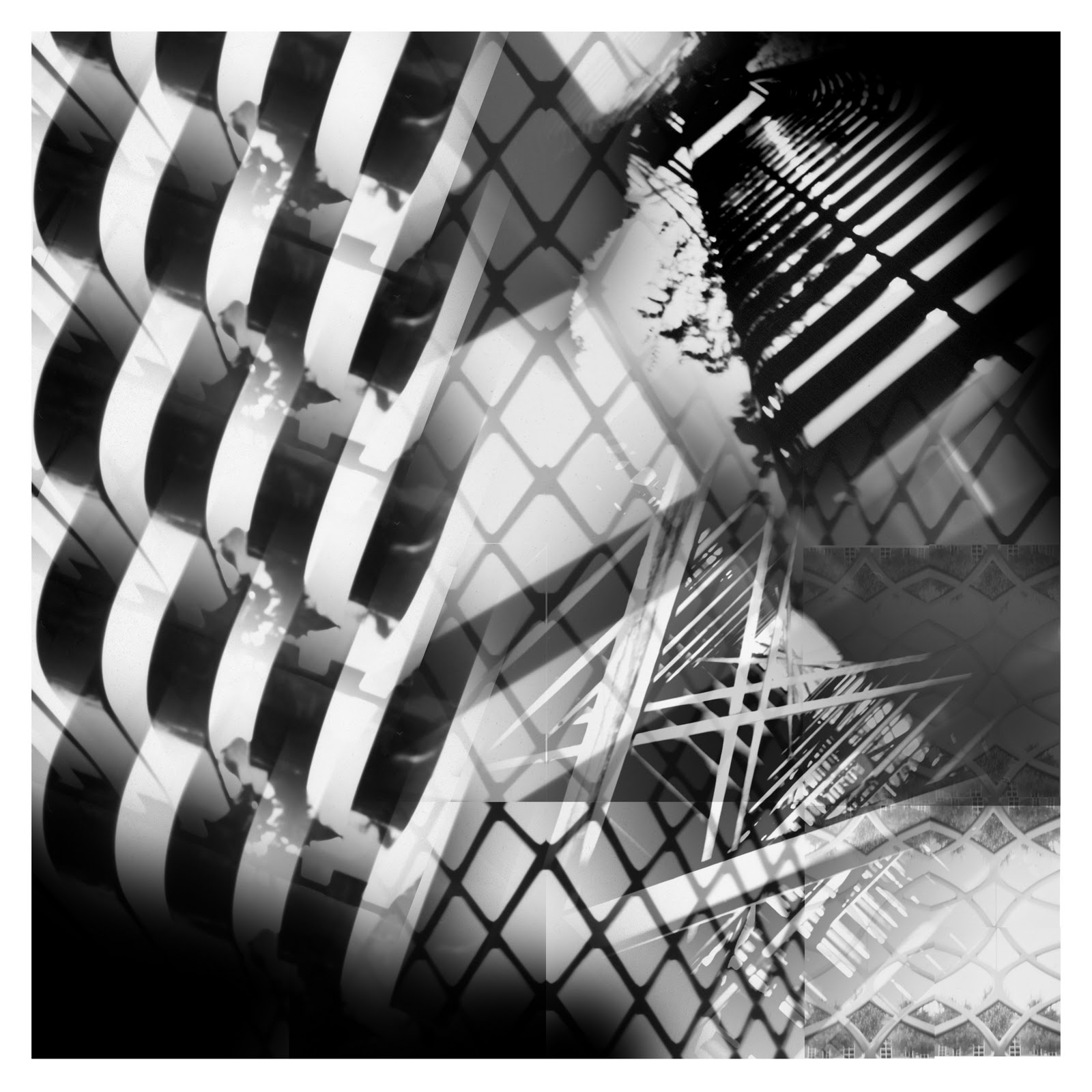
This was a collage of pinhole photos taken by the class around Spain Park High School at random places. This is my favorite because there are a lot of lines leading to different places and I like the random objects in the collage.  I used Photoshop to put all the pinhole photos on there and the mask tool to make the objects blend in more along with changing the opacity of some of the objects to make them stand out more of less.

Upside Down World

A Miller
 I created this photo montage in class. The assignment was to take different images off the internet and combine them to make one big photo. The challenge was making the images look like they belonged in one picture. I really like my idea in this piece. I adjusted the contrast, cropped some pictures, and used the burn tool.

Line Collage

K Valin
 This collage was made for the "line collage" assignment. This assignment called for the manipulation of pinhole photographs taken by the class into an abstract collage that included lines. This is my favorite image because it appears so cluttered and vague. I was proud of myself for turning the pictures of a window and stairs into something artistically confusing. The edits I used were done in photoshop and included: color range, where i dragged only certain colored aspects in a photograph into a new layer, and the gradient tool, which was used to soften the edges of each new image and merge them together effectively.

Swimming with the Stars

J Johnson
3D Collage. I like this because its interesting and different. I used Vector masks.

March 23, 2011

Triangles

A Crawford
 I made this photo in photoshop when we made collages in class. I used the shape tool to cut out a triangle from the original image.

Clear as Crystal

A Marcum
This is a picture I took of the chandelier in my dining room. I really like the composition of it and how a few beads are the only things in focus. The background looks sort of grainy but I like that it turned out that way because it makes the photograph look older. I turned up the contrast and saturation to make the picture look sort of antique-like and more dramatic. I was wearing a bright blue shirt and didn't realize I was standing in front of a mirror until after I took the picture so I used the clone tool to edit the blue out.

Escape

A Ortega
I won 2nd place in the state district IV art competition for this project. It was a project Mr. Myers had us do which was digital photo montage which is basically photo manipulation. In this project I created like an a escape or an illusion of some sort to be distracted of reality. I blurred out a little of the background sunset and lightened it up. I also made the front scene where the rocks are balanced in color. Overall I love the result of how my project turned out.

Shoe Hand

F Mbau

I took this picture when Mr. Myers had a project for us where by we used the box camera. This is my favorite picture because it look really cool.  I didn't do any edits.